Everyone is busy, yet most of that busyness isn’t meaningful work. In fact, 94% of workers say a large part of their day is swallowed up by repetitive, time-consuming tasks. (Zapier report: The 2021 state of business automation)
When automation enters the picture, something shifts. 92% of knowledge workers report a better workplace experience because they finally work on what matters. Small businesses feel it too. 88% of SMBs say automation helps them compete with corporations far larger than them.
And even business leaders noticed the outcome: 78% believe automation not only saves time, but it also improves productivity across the entire organisation.
This type of automation is called office automation. And if you’re not automating in 2026, you’re compromising your company’s growth and scalability. But the question is, what the heck is office automation? How does it work, and where do you start?
I’ll answer all those questions in simple English, and by the end of the article, you’ll have a crystal clear idea of office automation.
What is office automation?
Office automation, or OA in short, means automating the repetitive and systemic office tasks. The kind of tasks that sound small but take a chunk of your employees’ time and mental capacity. Think of:
- organising documents,
- generating invoices,
- onboarding a customer,
- answering common repetitive customer questions,
- Automatically generating and sending weekly or monthly reports to all stakeholders and
- organising and maintaining data and fetching insights from it.
Automating these tasks replaces human intervention to improve efficiency and allows employees to focus on the actual tasks rather than manually maintaining a system.
The next question is, how do you do that? Of course, through software. Let’s have a deeper look and see what office automation looks like in action.
How office automation works?
You now know a layman’s definition of office automation. But still, the picture isn’t clear enough. What type of software is used, and how does it work? The vision is foggy, so let’s clear that up.
To your surprise, you might already be using automation in your organisation. Google Docs, Excel, Slack, and similar tools are part of office automation.
Let me break it down for you.
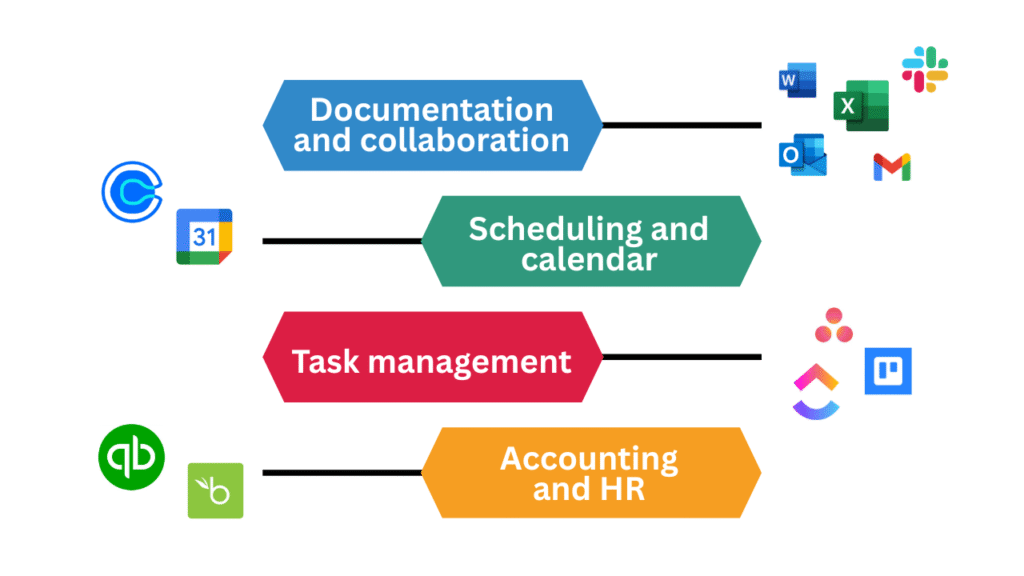
You must be using a few of these tools already. They’re also part of office automation tools, because they store and manage your data, let you organise and streamline it and also provide scheduling, which is a part of automation.
Though they’re now commonly used and aren’t considered “automation software” but rather management tools that are a necessary part of any organisation.
When we talk about automation, we now usually mean workflow automation, the kind that automates a series of steps that we manually do, for example, invoice generation.
Invoice generation: manual vs automated
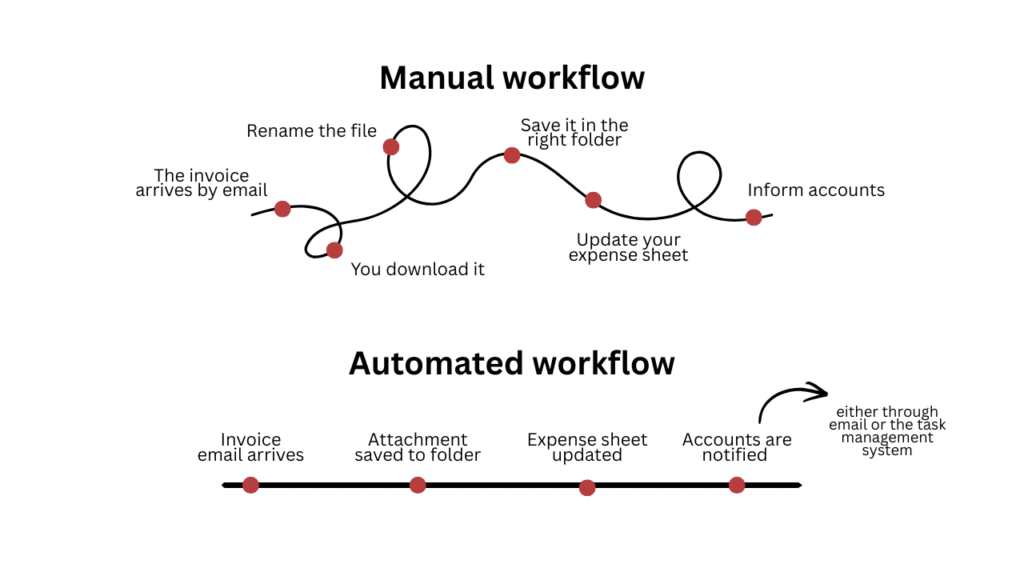
A six-step process is reduced to four steps and is automated as well. That’s efficiency and time saved right there.
This is achieved through tools that connect all these apps to create one synchronised system. For instance, Microsoft Power Tools.
Types of office automation
There can be different categorisations based on the categorising factor. Office automation can be divided based on the technology you use. However, for us, customer-based classification is more important. It divides all office processes into two main segments, making it easier to view office automation from a business perspective.
1. Front office automation
All the departments and tasks that are related to the customer are counted in front office automation. Such as customer support, sales, marketing, branding, and product development.
2. Back office automation
It involves all departments and tasks that run at the backend to keep the business running and have no direct relation with the customer, like HR, finance and legal, accounts, IT, engineering and data.
Benefits and advantages of office automation
So far, we’ve looked at what office automation is and how it works. The next question is, why do you need it? Let’s have a look.
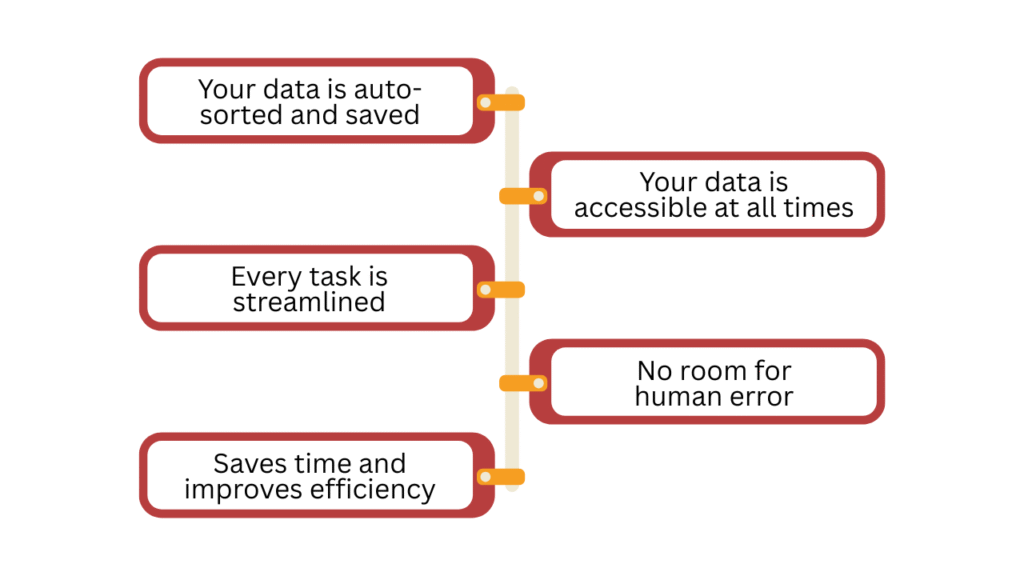
1. Your data (a.k.a. documents) is auto-sorted and saved
You get a neat and clean library of all your records without the human error of missing an entry or worse, missing the record altogether. It also saves you from the hassle of physically maintaining and storing documents.
So your Excel sheets, Word docs, and PDFs are not only stored but also organised as per your liking.
2. Your data is accessible at all times
All the records, data, and information are a click away from any member of the organisation as long as they have access to it. Anyone can retrieve any information at anytime from anywhere, making collaboration faster and easier.
If a meeting is rescheduled, anyone can change the date, and everyone will be updated. No manual emails and notices needed.
3. From small to big, every task is streamlined
There’s a record of all the tasks done in the office, organised by departments, with all the important details like who assigned the task, who was assigned, when it started and when the task was completed. You have all the information on what’s happening in the organisation.
Employees can complete their part and simply update the status, and the task will be assigned to the next person in the queue with a deadline and a notification. No emails, no back-and-forth conversion, just a seamless one-click operation.
4. No room for human error
According to the Work Market 2020 In (Sight) Report, 50% of the companies believe that automation reduces or eliminates the chances of human error.
Some tasks are sensitive, and mistakes are costly. Humans can make mistakes, but once you have a system in place, human error is eliminated.
For example, in regulatory reporting, incorrect or late submissions can lead to fines or loss of licenses. Office automation pulls validated data directly from source systems and submits reports on time, reducing compliance risks.
5. Saves time and improves overall efficiency
All this automation and one-click to no human intervention systems save you and your employees time and energy.
They aren’t distracted by constant emails and entries in multiple apps and can spend their time more efficiently getting more done in less time because you’ve removed the roadblocks. The ride is smoother and faster now.
The same is true for the customers. They get efficient on-boards, instant replies to their queries and an elevated customer experience. Just by removing the boring, repetitive tasks that halt your business, you’ve improved both your employees’ and customers’ experience.
Challenges in office automation for SMEs
Big corporations get it easy. They have dedicated teams to take care of everything. However, small to medium businesses struggle. There are multiple hurdles in the way; let’s go through the major ones one by one.
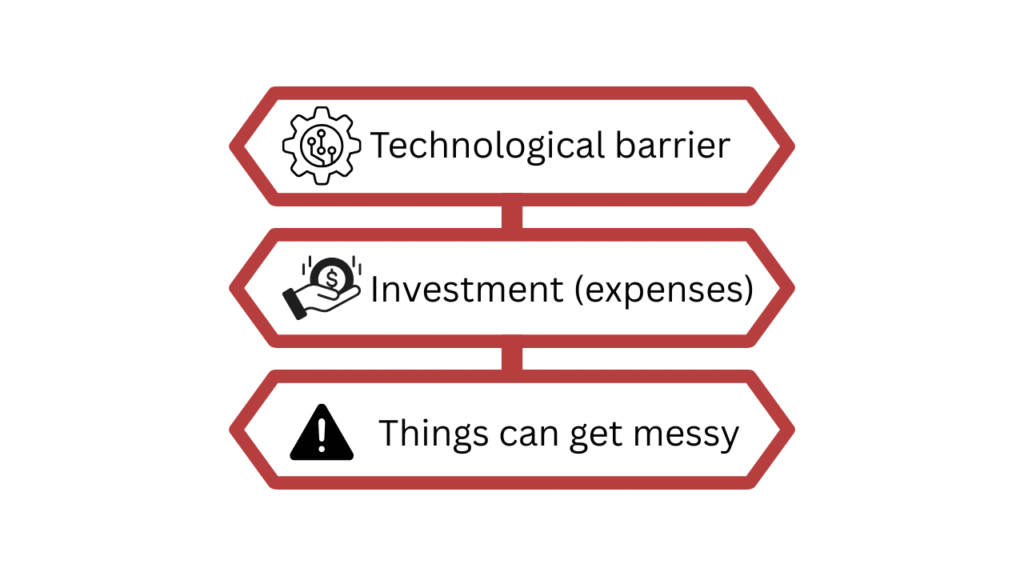
1. Technological barrier
If you look up automation and don’t belong in tech, you’ll be met with big, scary acronyms and random alphabets that combine to form a language you do not speak. This is the tech barrier. Most founders are scared of automation because they don’t understand it, and when they try to get the concept, it feels too technical.
Then you might think you’ll need programming for it, and though some tools do, there are plenty of no-code tools with AI integration to make it simple to use for non-tech users. Microsoft Power Tools is a great example of a no-code automation toolkit.
Then there’s a fear of tech and change from the employees’ side as well. They also passively resist it, trying to stick with the old, comfortable ways. However, it is important to let your employees know why automation is opted for in the first place, how it will make their lives easy and how it’s not a threat. Give them training and walk them through the tools and dashboards to familiarise them with everything.
2. Expenses
The investment in tools can also be a hurdle. However, if employed well, the ROI far exceeds the initial investment.
3. Things can get messy real quick
The efficiency you’re after can turn into a complicated, inefficient disaster if done wrong.
This happens when there’s a gap between what’s automated and what should have been automated. Every department has unique repetitive processes that they would like to automate.
Get your employees’ onboard to decide what automated tasks can save them time and effort.
Work smarter with Office Automation
Most offices, especially SMBs, lose time in the same places every day. Chasing approvals. Updating the same data twice. Following up because “someone forgot.” And it’s friction that slows you down.
A competent automation strategy starts narrow. You target the processes that drain the most time: invoicing, approvals, reporting, and data handoffs. You document the process and automate one workflow at a time. Involve the people doing the work, listen to what breaks, and fix it early.
Repeat the process, and soon you’ll find your most repetitive and time-consuming processes are automated.