If you’re reading this, you probably know how important integrated systems are for a business, or you’re facing the chaos of unintegrated systems in real time. Whatever the case may be, the fact is that unintegrated systems cost businesses in subtle ways until they become so large that they create total dysfunction, and that’s when most people rush towards system integration.
But if youre an SME, you run into another problem. How the heck do you connect your different software? Everything on the internet seems too technical, and AI isn’t reliable enough.
There are several ways to connect your systems, and the right one for your business probably isn’t as complicated as you think. In this article, I’ll walk you through the four most important system integration methods for SMEs in plain English: what they are, when to use them, and which one fits your situation.
4 system integration methods for SMEs
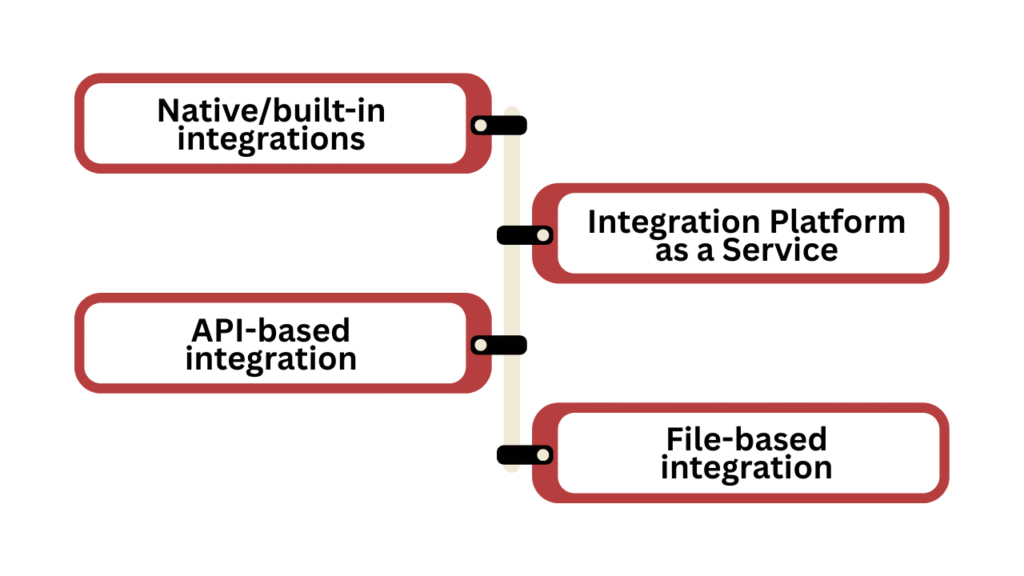
1. Native/built-in integrations
This is the simplest way to connect your systems.
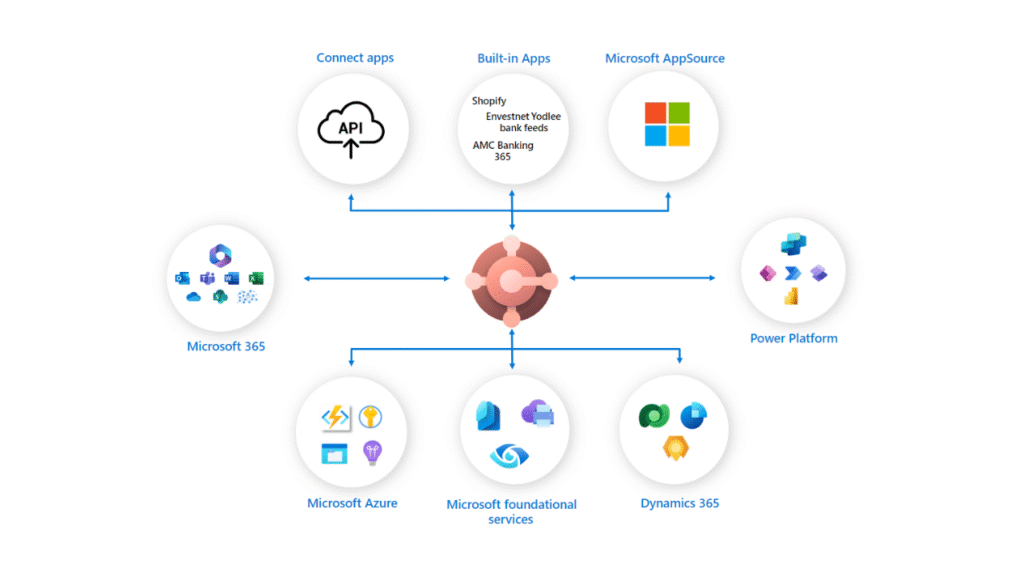
You know how you can connect HubSpot directly with Gmail, Shopify plugs straight into QuickBooks and Slack syncs natively with Google Drive. These are built-in integrations developed by the software provider. You just have to set up the connection in your software, which will only take a couple of minutes.
You get this luxury in two situations: either your systems are from the same vendor, so of course, their software will be compatible with each other, or your tool has built-in integrations for other software, as I’ve mentioned in the examples above.
Advantages
- Zero setup, maintenance or third-party involvement
- Activates in a few clicks
- No technical knowledge needed
- Usually included in your existing subscription at no extra cost
Disadvantages
- Limited to tools that have an official partnership
- Less customisation
Best for
Small businesses and non-technical teams who want a quick, hassle-free way to connect their tools in a few minutes with a few clicks. Usually, this is the best system integration method, if your software allows.
2. iPaaS
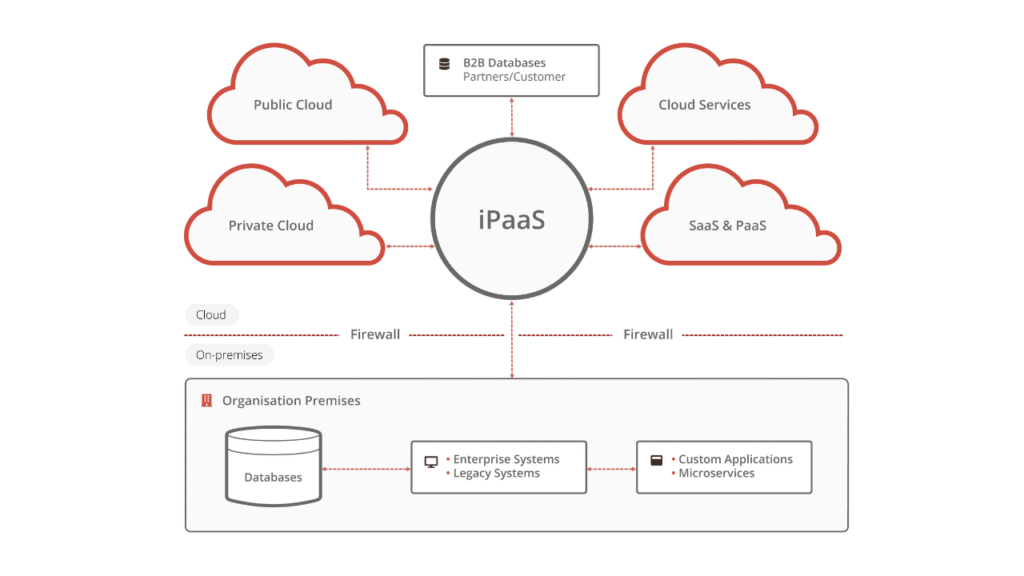
iPaaS, or Integration Platform as a Service, is a cloud-based platform that acts as a central hub to connect all your software tools. Instead of building custom connections between every pair of systems, you plug everything into one platform and let it handle the data flow between them.
The best part? Most iPaaS platforms are no-code or low-code, meaning your team can set up and manage integrations with little to no code.
Advantages
- No coding required
- Fast setup
- One central platform to manage all your integrations
- Cloud-based, so no infrastructure to maintain
Disadvantages
- Monthly subscription costs may add up as usage scales
- Can get complicated with very large or complex data flows
Best for
SMEs that use multiple cloud-based tools and want to connect them quickly without hiring a developer.
Also read: ERP & CRM integration: Save hundreds of hours in business by simplifying your operations.
3. API-based integration
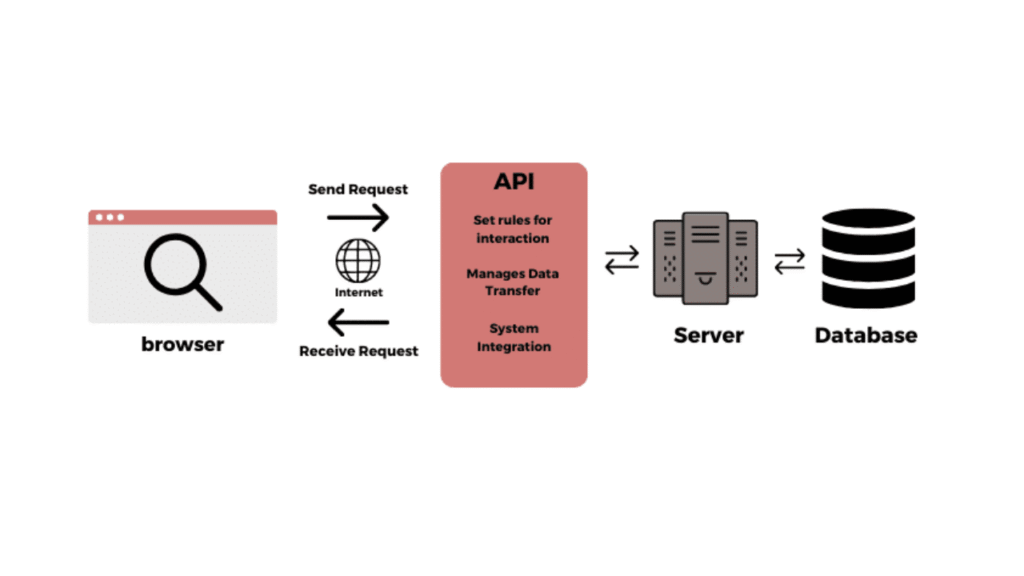
API stands for Application Programming Interface, and this is the most common system integration method at this time.
Consider the API as a messenger. When one system needs information from another, the API takes the request, fetches the data, and brings it back in real time. And all of this happens in the background, without anyone lifting a finger.
Let’s say System A wants some data. It tells the API, which then asks System B for the required data. Once the API has the information, it brings it back to System A. So your systems don’t communicate directly; they all communicate via a third-party tool, API.
Advantages
- Real-time data sync across systems
- Flexible enough to connect almost all tools
- Provides more control and customisation than native or IPaaS integration
- Scalable as your business grows
- Supported by most modern software
Disadvantages
Requires a developer to build and maintain it.
Best for
Businesses that rely on multiple software tools that need to share data in real time.
4. File-based integration
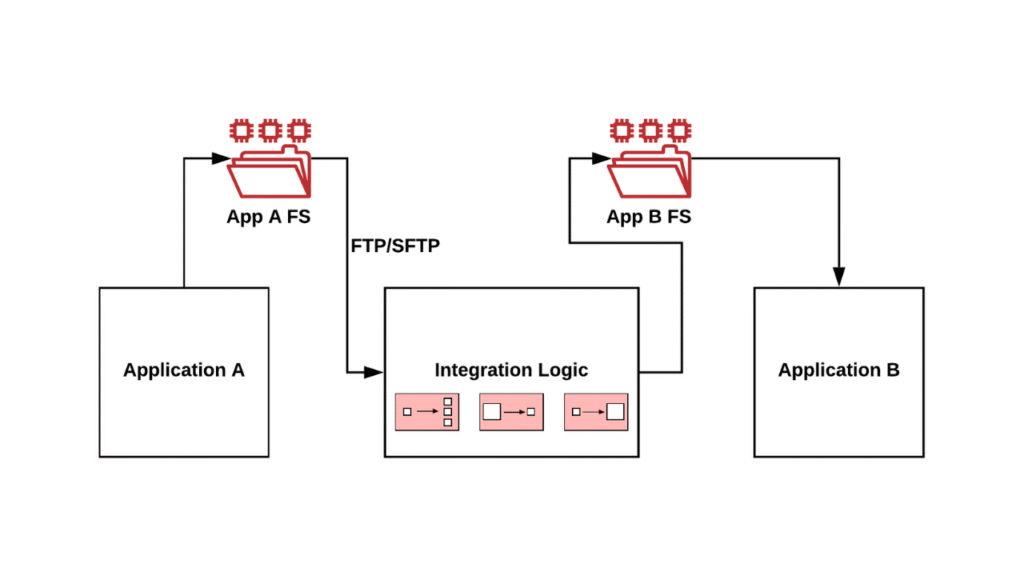
This one is an old-school approach that most of us won’t use today. However, if you have old systems and software that don’t support API, IPaaS or other modern integration approaches, you can go for file-based integration.
File-based integration works exactly how it sounds. One system exports data as a file, usually a CSV, XML, or Excel sheet. That file is then transferred to another system, which reads it and imports the data.
Advantages
- Works with almost any system, old or new
- Simple to understand and implement
- Low cost to set up and run
Disadvantages
- Data is never truly real-time
- Manual handling increases the risk of human error
- File formatting mismatches can cause imports to fail
- Difficult to scale as data volumes grow
Best for
Businesses working with legacy systems, external partners, or suppliers who can’t support modern integrations. Anyone who needs a simple, low-cost solution for periodic data transfers like monthly reports or payroll files.
Factors to consider when choosing a system integration method
| Native Integration | iPaaS | API-Based | File-Based | |
| Setup difficulty | Very easy | Easy | Complex | Easy |
| Tech skills needed | None | Minimal to none | Developer required | None |
| Real-time data sync | Yes | Yes | Yes | No |
| Flexibility | Low | Medium | High | Low |
| Cost | Usually free | Subscription fee | Development cost | Low |
| Scalability | Low | Medium | High | Low |
| Works with legacy systems | No | Sometimes | Sometimes | Yes |
| Best for | Best option for small businesses if integration is available | Connecting multiple cloud tools without a developer | Complex, real-time, custom integrations | Old systems with no API support |
Wrapping it up
There you have it! Your system integration methods with no tech jargon.
You now know your options, you know what fits your situation, and you have absolutely zero excuses to still be copy-pasting data into a spreadsheet at 4 pm on a Friday. Pick one method that works best for you and start taking action. The future state of your business will thank you.
A good rule of thumb: start with native integrations if they’re available, move to iPaaS if you need more connections, consider API if you need full control.


![7 Practical ways to better use AI in CRM [ CTO’s guide]](https://feriotti.com/wp-content/uploads/2026/02/1-3.png)