CRM implementation or CRM implementation strategy is only a technical project. Wrong.
If you thought you’d select a software and have your tech team set it up to magically see the benefits you’ve read and heard on the internet, that’s not gonna happen. In fact, that’s how CRM implementations miserably fail.
Dare I say, tech is the easy part of implementing the CRM, especially if you have even one technical person in your team. The main problem is the pre-implementation non-fancy work that takes time, effort and collaboration across teams.
I’m stripping away the tech and corporate fluff. I’ll not be discussing the best tools. I’m here to give you a crm implementation strategy that significantly increases your chances of success and delivers the results you are looking for.
Phase 1: Pre CRM implementation Strategy
One thing is clear: We don’t want a fancy, shiny tool that no one uses and is just an expense. When most SMEs implement CRM, they can’t execute it to its full potential or end up with a redundant system that only burdens their employees. Its biggest reason is poor pre-planning.
They either rush the planning phase or don’t give the required attention and thought, though this is the most important step of CRM implementation. You can have the most accurate tool, a perfect setup and a team willing to use it, but it’s all in vain if your pre-planning isn’t on point.
Now that we’ve established the importance of this underestimated step, let’s have a quick look at what this phase entails.
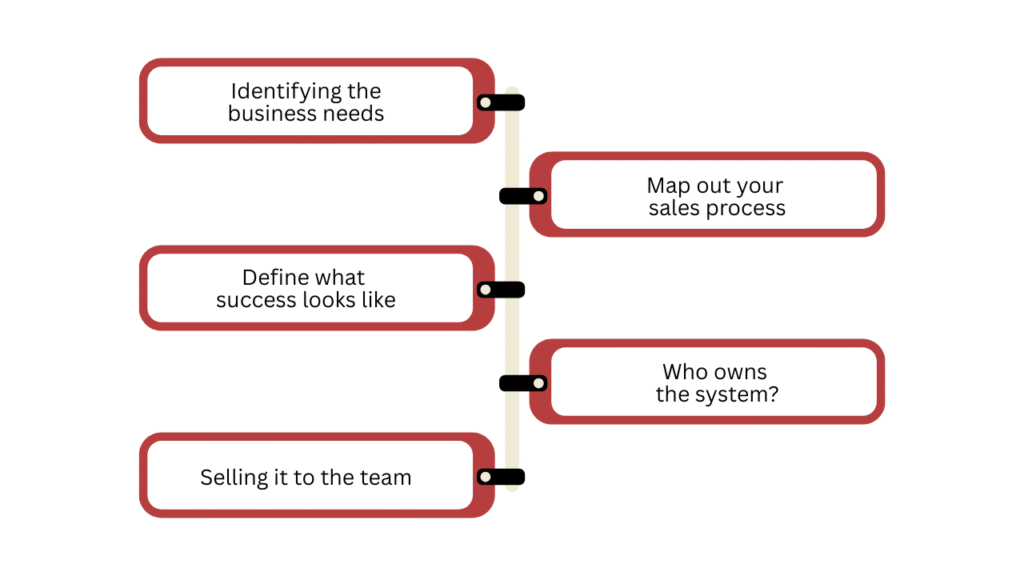
1. Identifying the business needs
The opposite of a redundant CRM is one that meets business requirements. And it’s pretty simple to figure out your specific business needs.
- Identify all the stakeholder departments, the ones that will be using the software.
- Collaborate with all those departments to figure out the requirements. It could include service, sales and marketing.
- Be cautious of who you’re listening to, because if you listen to every single employee, you’ll end up with a wishlist.
- Make sure to have an SOP to validate the requirements. You might receive contradictory requirements from different departments. It’s your job to prioritise the right ones and let go of the rest.
- Explain the why behind it all as per your validation process.
This whole analysis will help you set up and track your CRM goals.
2. Map out your sales process
Jot down your sales process from start to finish in complete detail. Give special attention to errors and bottlenecks as they need to be rectified.
You might be wondering why this is necessary. After all, you know your sales process and the team knows it too, so why waste time? Firstly, because if your process isn’t very well-defined, you can not set up your CRM correctly. It will be messy, and you won’t be able to track each and every step of the process. Secondly, what you have in mind might be different from how your team thinks.
Here are a few things to consider, but are not limited to:
- How a customer finds you and what happens next.
- Where do your leads come from: Instagram DMs, referrals, walk-ins?
- What do you do after the first contact?
3. Define what success looks like
You can now set realistic goals for CRM implementation, thanks to the first two steps that gave you a complete picture.
We don’t want to have vague goals like “organising the customer journey” or “fast-tracking the sales process”. We will be as specific as we can, something like no lead waits more than 24 hours for a follow-up, or we close 10% more deals this quarter.
Also read: How to use CRM in your business to grow and win more customers?
4. Who owns the system?
If everyone is responsible for keeping the CRM updated, no one will be, and your CRM will turn into a digital junk within weeks. Pick one person, doesn’t matter if it’s you, your tech lead, or your sales lead, but make it their job to keep things tidy. They don’t need to be technical. They just need to give a damn.
5. Selling it to the team
If you introduce the CRM as a management surveillance tool, your teams might hate it. Instead, sell the freedom and specific business and team benefits. Tell them, “If it’s in the CRM, I’ll never bug you for a status update again.”
See how that changes the entire perspective. Walk them through business benefits and the why behind this implementation, but also give special emphasis to things that they care about. Let them know the tool is not only for business benefits but will also ease their work.
Phase 2: Choosing the Right CRM
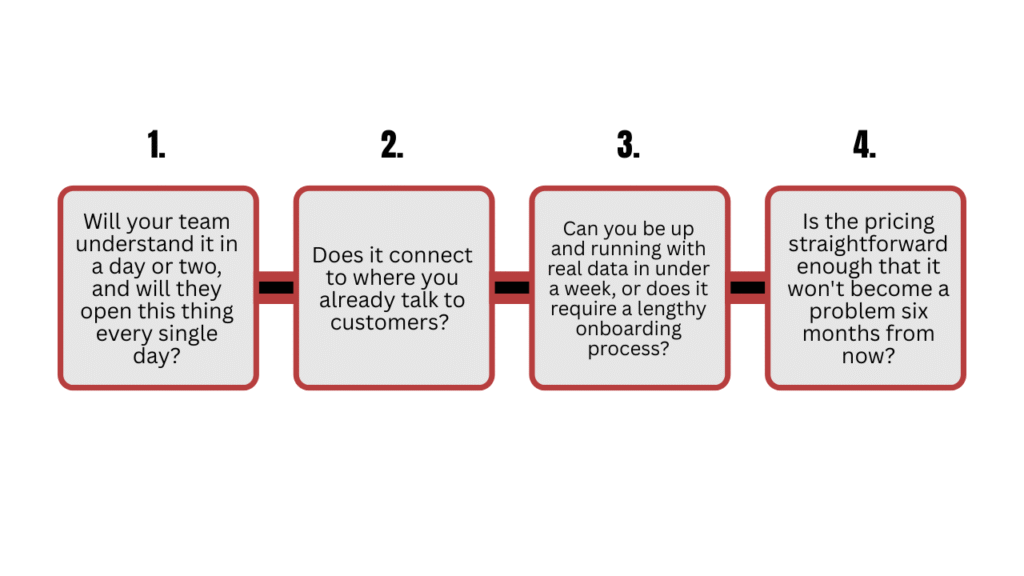
6. 4 questions that matter for selection
Do proper research for choosing your CRM, but don’t drown yourself in analysing every single one to its core. There are hundreds of CRMs out there, and most of them are fine.
Here are four questions that will come in handy for shortlisting your CRM.
7. Match the tool to your business stage
Every CRM salesperson will show you a demo of features you don’t yet need. Automation workflows, AI lead scoring, multi-currency dashboards and whatnot. It sounds great, but it’s an extra expense, and your team won’t touch 80% of it.
You buy for the business you are right now or maybe a few steps ahead of it, but you don’t buy for where you hope to be as a successful company. You can always upgrade later.
Phase 3: Implementing the CRM
8. Start with the minimum viable CRM
Listen to this carefully and internalise this idea: You don’t have to build the perfect setup on day one. You can start with one use case and slowly build upon it. In fact, this is the right approach. You can test things out and fix bugs early on.
You primarily need only four things to start:
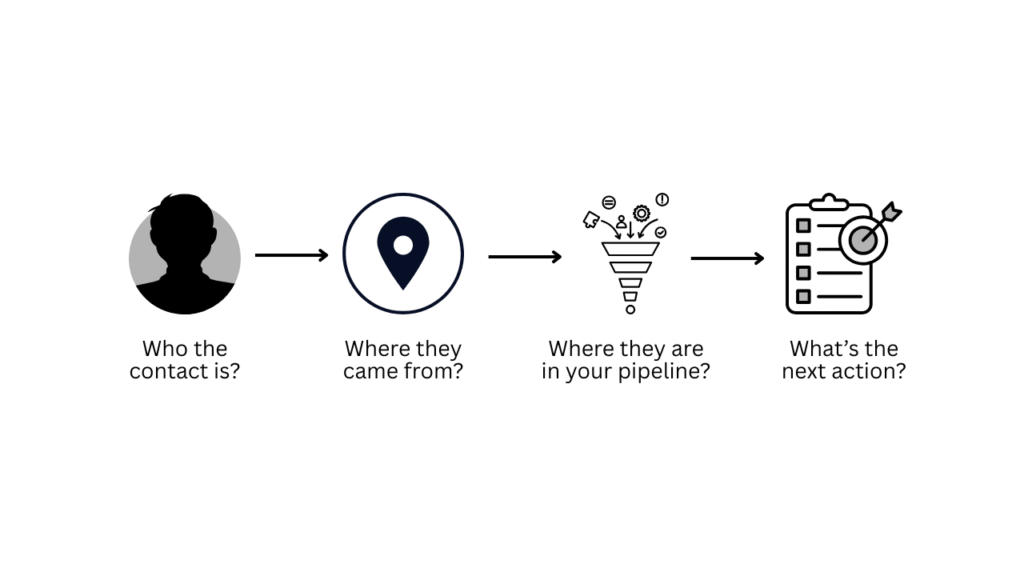
That’s it. Start there and add any other fields that you deem necessary, either from your pre-planning or as you go.
9. Migrating the data to CRM
This is a critical step in CRM implementation. That spreadsheet with three years of half-updated contacts will just become a mess inside a new tool. Bring in only active leads and current customers to start. Leave the graveyard behind.
Also read: Complete step-by-step CRM data migration strategy by a CTO
Phase 4: Post CRM implementation
10. Track your metrics and goals
The only way to know if your setup is working is to track the progress. What you track depends on your goals. But I’m sharing three metrics that are super beneficial in determining how healthy your sales and retention actually are.
- Lead response time: How long before someone from your team makes contact after a new lead comes in?
- Conversion rate by stage: Where exactly in your pipeline are deals stalling or dropping off?
- Customer contact frequency: Are your existing customers hearing from you regularly or only when they complain?
11. Team adoption
If your CRM gets opened without being asked, people reference it in meetings, and the end users (sales and marketing) are seeing results, then congrats, things are moving in the right direction.
The opposite of it is an alarming signal. If after three genuine months, the system is still not sticking, don’t be precious about it and lose resources over it. Go back to the drawing board, figure out the problem and fix it.
Also read: 7 practical ways to better use AI in CRM [CTO’s guide]
Closing remarks
The founders who get the most out of a CRM aren’t the most technical. They’re the ones who do their homework in such detail that they are crystal clear on what problems they want to solve with a CRM and how to implement it to tackle those issues.
And because they know all that before they touch any software, the CRM just becomes the tool, which it is, and not the thing they’re hoping will magically fix what they haven’t even defined.







![How to use AI in spend analytics? [5 use cases]](https://feriotti.com/wp-content/uploads/2026/04/1-3.png)