Data entry is one of those tasks that nobody really thinks about until it becomes a problem. And if you’re here, it means it’s a problem for you. You want to reduce your manual data entry as much as you can. If yes, then I have a solution for you.
In this article, I’ll break down the most common data entry problems and their solution. We will go over four different scenarios where you can completely eliminate manual data entry by automating it. Let’s see how.
The most common data entry problems
Manual data entry doesn’t hurt anyone when you’re starting or operating on a very small scale. It’s easy, and doesn’t cost a buck. There are not many data-entry problems at this point, either, since the scale is small and manageable. However, things get complicated when your data entry requirements increase. You now face any of the following problems or all at once.
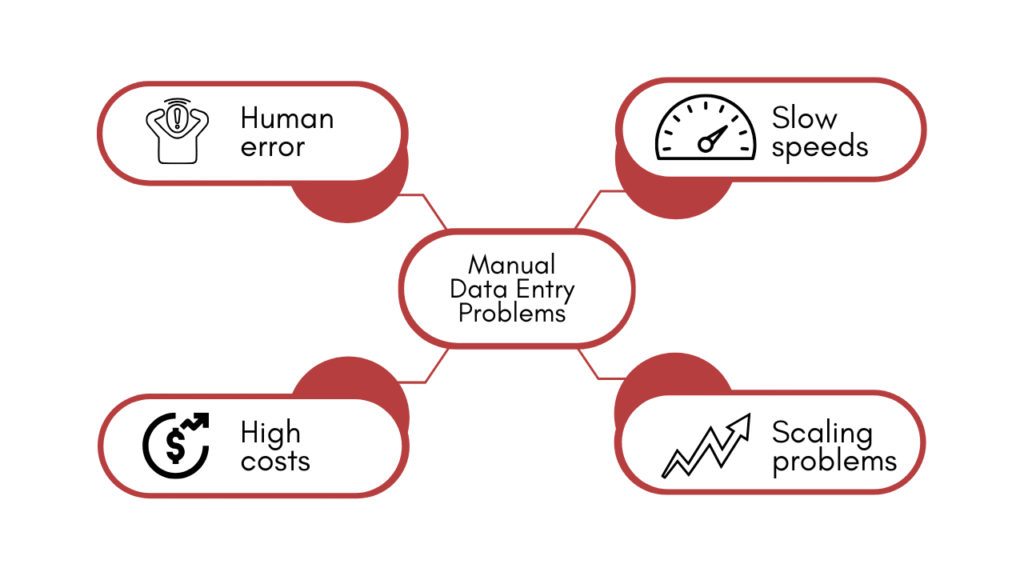
- Human error: Think of typos, duplicate entries, and transposition errors. One single mistake can cascade into billing errors, failed deliveries, or flawed business reports. And if it happens often, it’s a huge burden.
- Slow processing speeds and bottlenecks: Manual data entry is time-consuming and repetitive. It starts costing your team productivity and time. What was once simple has now become inefficient and boring. It’s a bottleneck that slows down your teams.
- High labour costs and employee burnout: Employeesperforming repetitive tasks tend to burn out more and report dissatisfaction. Staffing a manual data entry operation is expensive, and the repetitive nature of the work drives high turnover.
- Difficulty scaling with business growth: If you somehow manage to dodge all the manual data entry problems, it will still be a hurdle when scaling your business. Due to time and human resources required, manual processes that work at low volume quickly break down as transaction counts grow.
Traditional data entry solutions and their limitations
The internet suggests you train your staff, double-check the data, standardise the formats, have accuracy checks in place, or even outsource it. But the root problem is still untouched: inefficiency and slow processing.
Outsourcing could be an option, but it’s expensive and can be risky in case of sensitive information. So it all breaks as you scale.
Automation: The solution to reduce manual data entry
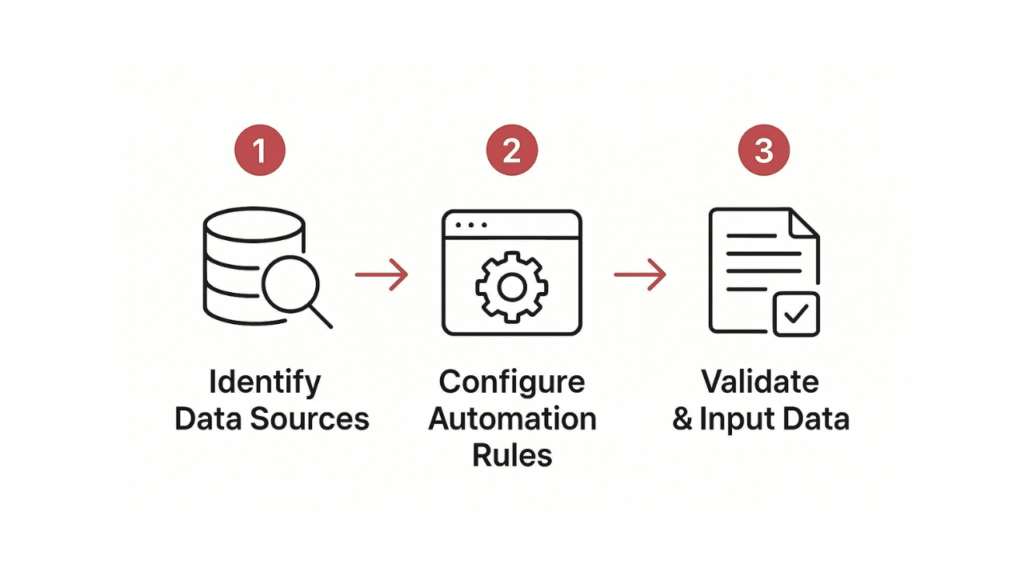
Data entry is a simple process that can easily be automated. Let’s have a brief but clear look at how you can reduce manual data entry and solve all your data entry problems with automation.
What is data entry automation?
In the simplest terms, the repetitive and boring part that eats up your team’s productivity is taken over by software. Instead of someone sitting at a desk typing invoice details into a system, the software reads the document, pulls the relevant information, and enters it automatically. It’s fast, efficient and accurate.
How to automate data entry?
There are different modes of data entry. You can use data from a paper, a PDF, or a form. Or you might be pulling out relevant fields from customer reviews or a messy email thread. We will go through each situation and see how we can solve the data entry problem with automation.
Situation 1: Paper documents
A huge chunk of business data still lives on paper. Someone has to physically read each one and type the information into a system.
This is exactly what OCR (Optical Character Recognition) was built for. OCR software scans a physical or digital image of a document and converts the text into machine-readable data that can be automatically routed into your system.
But we don’t need the entire text. We only need our required fields. Modern OCR can identify where on a page specific data lives (like a total amount or a signature field) and extract just what’s needed.
Tools: Adobe Acrobat, ABBYY FineReader, and Nanonets
Situation 2: Digital documents
A PDF invoice emailed to your accounting team still needs someone to open it, read it, and manually key the figures into your accounting software. Multiply that by hundreds of invoices a month, and you’ve got a serious bottleneck.
You can use RPA (Robotic Process Automation). These bots mimic what a human would do, which is opening the email, reading the attachment, copying the relevant fields, and pasting them into the right system. For complex documents where the layout varies, you can pair RPA with an AI extraction. Now your bot can handle inconsistent formats without breaking.
Tools: UiPath, Automation Anywhere, and Microsoft Power Automate
Situation 3: Data living across multiple systems
A sales rep closes a deal in the CRM, and someone has to manually re-enter that customer into the billing system, the onboarding tool, and the project management platform.
You can overcome this challenge by integrating your systems so that the data entered in one software automatically syncs to the other.
Also read: A non-technical guide on system integration methods
Situation 4: Unstructured data
Customer feedback, support tickets, sales call notes, and chat transcripts are full of valuable information but lack a standard format. Hence, traditional automation tools can’t make sense of it.
So we bring in AI. LLMs (Large Language Models) like Claude and ChatGPT can read unstructured text and pull out meaningful data points. Pair it with an automation tool, and you now have automatic data extraction and its entry it into the right platform.
Read more about AI workflows to learn how you can automate unstructured data entry.
Wrapping it up
Data entry problems are boring to deal with and expensive to ignore. But you now know how you can end these problems once and for all.
You don’t need to overhaul your entire operation overnight. Start small. Pick the one situation from this article that sounds most like your team’s day-to-day, and explore the tools that fix it.
One automated workflow can save hours a week. Scale that across a team, and you’re looking at a genuinely meaningful difference.






![How to use AI in spend analytics? [5 use cases]](https://feriotti.com/wp-content/uploads/2026/04/1-3.png)