Are you tired of the slow manual accounts payable (AP) process and want to have a smooth automated system that takes off the load your AP team is currently fussing over? But you’re not sure how to automate accounts payable? I got you.
This article will brief you on how, what, and why. It’s a step-by-step breakdown of how AP automation works, what it does at each stage, and how to get it running in your business, all explained with zero jargon by a CTO.
Understanding the AP Process
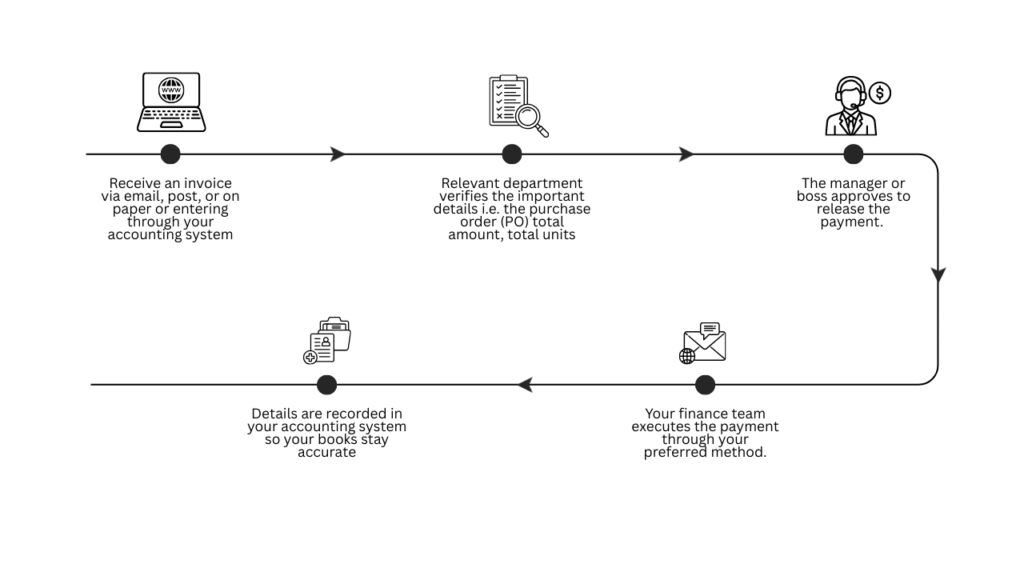
Let’s have a look at how the AP processes generally flow. You might have one or two more or different steps, but this is the basic flow.
Why you need AP automation
The AP workflow seems like a simple 5-step process. But if you’re here, you know how it turns into a headache as the company starts to grow.
- Invoices get buried in inboxes, and by the time anyone finds them, you’re already late.
- Duplicates get processed, and then you’re chasing a refund.
- The approver missed the email or forgot, and the due date passed.
- Someone entered one wrong digit into the system, and your finance team is scratching their heads to find what’s wrong.
And lastly, can you say right now exactly what your business owes, to whom, and when it’s due? In a manual system, probably not. Ap automation solves it all.
How to automate accounts payable
When we talk about AP automation, we mean automating the entire AP process from start to finish. But let’s break it down into steps so it’s easy to understand.
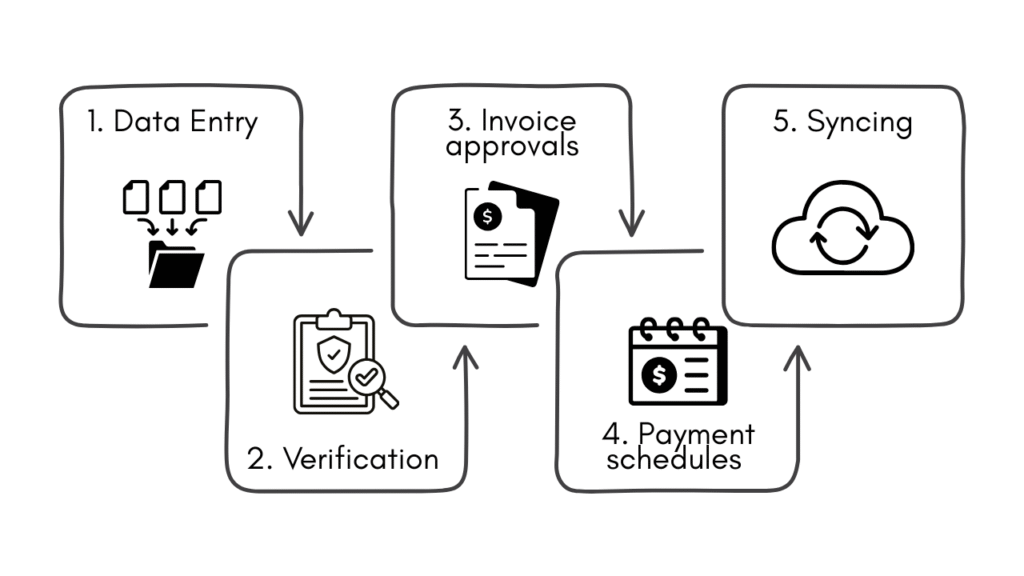
1. Data Entry
Call it data entry or data extraction, but it means automating the process of entering fields like vendor, product, units, amount, due date, etc, into the system. How does it happen, you may ask? Through OCR (optical character recognition) and AI.
Have you ever given an image or a document to AI? It reads it, understands it, and if you ask for certain information, it can quickly give it to you. That’s how you can automate your invoice entry process.
Put all the invoices in a dedicated folder. If it’s a physical invoice, upload a picture or scan it. The automation you’ve set up will detect the new upload. The software will access the file, identify the required fields and fill them into your accounting software. And that’s how you can easily cut off the most time-consuming and tedious task of the AP process.
Learn more about data entry automation: Data entry problems & solution: fix with automation
2. Verification
Software can 3-way match the invoice for you.
If you’re not familiar with 3-way matching, it simply means you match the invoice with the purchase order (PO) and the receipt. 3 documents, just as the name says. If the invoice is for services with no receipt, you can 2-way match. Cross-check the invoice against the purchase order (PO).
The software compares all three (or two) documents and flags any discrepancies like wrong amounts, missing items, or mismatched quantities. If everything lines up, it moves forward automatically. If something’s off, it raises an alert for a human to review.
Efficient, right? Imagine the time it will save your employees.
3. Invoice approvals
After the verification, the software routes each invoice to the right approvers the moment it’s ready, based on rules you set. Amount thresholds, department, supplier type, you define the logic, and the system handles the rest. Approvers get notified and reminded automatically.
It’s totally up to you to define this approval workflow. You can build the logic according to your processes. For example, the approval request goes to the finance head (who releases the payment) only when the department head has approved the invoice.
Since this is a conditional or logical process, there are high chances of messing it up. You don’t want the approval system to be so complicated that it starts stalling your process. That’s the opposite of what we’re doing here. So a kind tip is to not rush the workflow building and take your time to carefully map out the approval flow.
4. Payment schedules and release
Once an invoice is approved, the system schedules payment based on the due date and your payment terms. And if a supplier offers an early payment discount, let’s say, 2% off if you pay within 10 days, the system catches it and acts on it.
5. Syncs everything to your accounting software
The last part of the process is to transfer all the data into your accounting software so your books are updated. You can simply integrate your AP system with your ERP or accounting software.
Tools to automate accounts payable
You’ve understood the process and how AP automation works; however, you lack the toolkit to implement it. Let’s briefly go through the available tools because there are countless options in the market, and we certainly cannot cover them all in this short guide.
There are multiple ways you can go about automating your accounts payable.
Option 1: Dedicated AP automation platforms
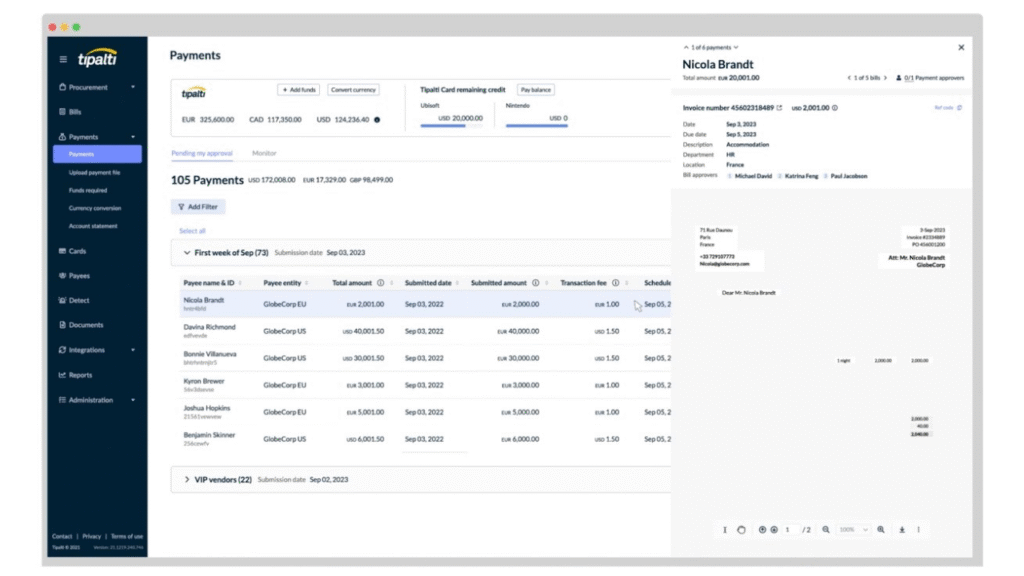
This software is built for AP, end-to-end. All the steps we’ve discussed above are all under one roof, making it a complete solution with the least integration required. You’ll only have to connect it to your accounting software or ERP.
Examples: Stampli, BILL, Tipalti, Yooz, and Ramp.
Option 2: Your accounting software’s built-in features
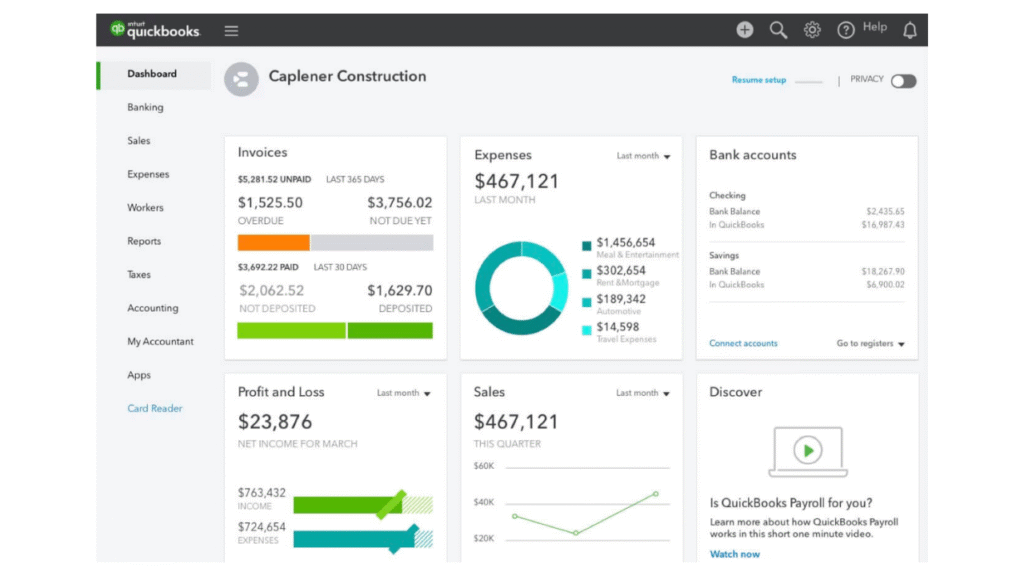
Xero, MYOB, and QuickBooks already handle basic AP like bill entry, payment scheduling, and reconciliation. For small volumes and simple workflows, this might be enough to start.
The ceiling hits fast, though. As your invoice volume grows, you’ll need more than what’s built in. But it’s a great starting point for small businesses.
Option 3: Workflow automation tools
Tools like Zapier, Make, and Microsoft Power Automate let you connect your existing apps and automate tasks between them with zero code required. Best for businesses that already have tools they like but need them to work together automatically.
It’s a good option for small businesses, and for straightforward tasks like invoice routing and notifications. But for complex multi-step AP processes, a dedicated platform is a cleaner option.
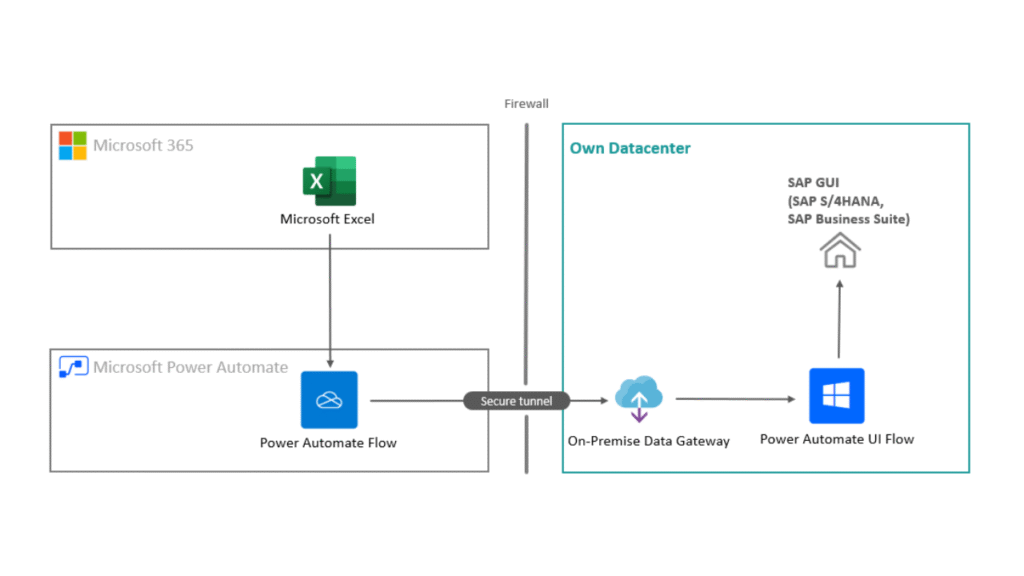
If you want to explore how you can automate accounts payable through workflow automation, head to 6 quick and practical AI workflow automation examples.
Automating accounts payable, one step at a time
I’ve broken down the entire AP process into 5 general steps. Your process might have a slightly different workflow. So, as a CTO, here’s my golden advice to you.
The mistake that most SMEs make here is that they try to automate the entire process all at once. If it works, cool, you hit a jackpot. But if it doesn’t, it’s a mess that’s difficult to clean.
Your first step is to clearly map out your specific AP workflow. Identify the tasks that you want to automate from your process. Pick the most time-consuming one and automate that first. Let it run for a week or two; if everything’s fine, only then move towards the next stage until you have fully automated your accounts payable.
Good luck.


![4 steps to start AI for operational efficiency [+Examples]](https://feriotti.com/wp-content/uploads/2026/03/1-4.png)