![How to use AI in spend analytics? [5 use cases]](https://feriotti.com/wp-content/uploads/2026/04/1-3-1024x576.png)
Every SME I’ve talked to has the same problem: they’re making procurement decisions based on reports they don’t fully trust. The data is messy, the categorisation is inconsistent, and by the time a problem surfaces, money has already walked out the door. AI can fix this, but only if you use it right.
In this article, I’ll share 5 use cases of AI in spend analytics and help you start on a small scale so you can test the waters before going all in and risking resources.
5 use cases of AI in spend analytics
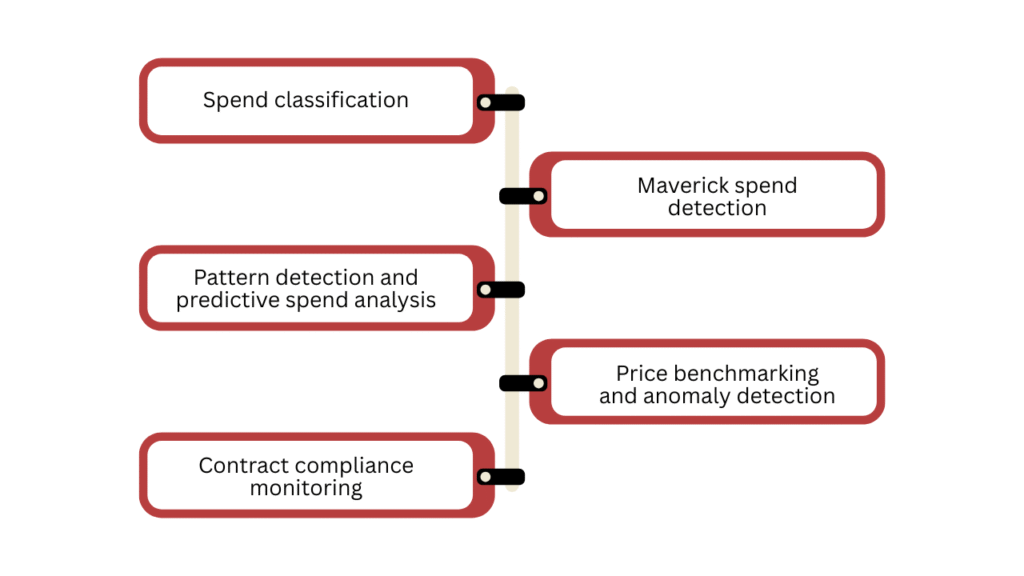
Spend classification
One of the first tasks, not only spend analysis but also in the entire procurement, invoicing, and even bookkeeping, is to classify and categorise the data and make it synchronous across all departments and systems.
It’s a manual, repetitive task, but you can use AI to automate it. AI auto-classifies your incoming invoices. When a new invoice comes in, it doesn’t land in “Miscellaneous” waiting for someone to sort it. It lands in the right group. It also maps suppliers into the right categories and reconciles them against your budget lines.
Maverick spend detection
You can use AI to monitor your transactions in real time. And the biggest advantage of it is Maverick spend detection.
You’ll catch any unauthorised transaction that falls outside your approved supplier list or contracted rates right when it happens. So instead of discovering in your quarterly review that someone’s been buying from an unapproved vendor for six months, you catch it on day one.
Pattern detection and predictive spend analysis
AI can scan your historical spend data and surface cost-saving patterns you’d never spot manually. For example, repetitive orders that could be bundled, categories trending upward before they ruin your budget, or suppliers whose pricing creeps up incrementally.
Through this predictive analysis of your data, AI can depict future trends and scenarios. However, treat them as suggestions or possibilities unless they’re manually reviewed and align with logic and human expertise.
I’ve explained in detail why AI shouldn’t be used alone in predictive modelling and forecasts, and how blindly trusting it can be dangerous. You can check it out here: Do you really need AI demand planning?
Price benchmarking and anomaly detection
You negotiated a good price once. But that was 18 months ago, and nobody’s checked since.
AI continuously compares your unit prices against historical invoices, flags when the same item is being billed at different rates by the same supplier, and benchmarks against external market data where available.
Contract compliance monitoring
Your contracts are only as good as your ability to enforce them. And manually cross-referencing invoices against contract terms is inefficient and boring.
AI pulls your contracted rates, payment terms, and agreed scope, then matches every incoming invoice against them automatically. In case anything is misaligned, like a wrong rate, a wrong quantity, or an expired term, it flags it immediately.
The alerts are the main benefit here. Instead of a compliance report that nobody reads, your team gets a specific notification, something like “Invoice number 1234 from XYZ supplier is 12% above the contracted rate.”
A prerequisite for using AI in spend analytics
The use cases we’ve discussed will only give you the desired results if your data is clean enough for AI to accurately do its job.
If your data is unstructured, incomplete or has duplicates, AI will misguide you, and it will become a burden for your team. Consider the following points to clean up your data.
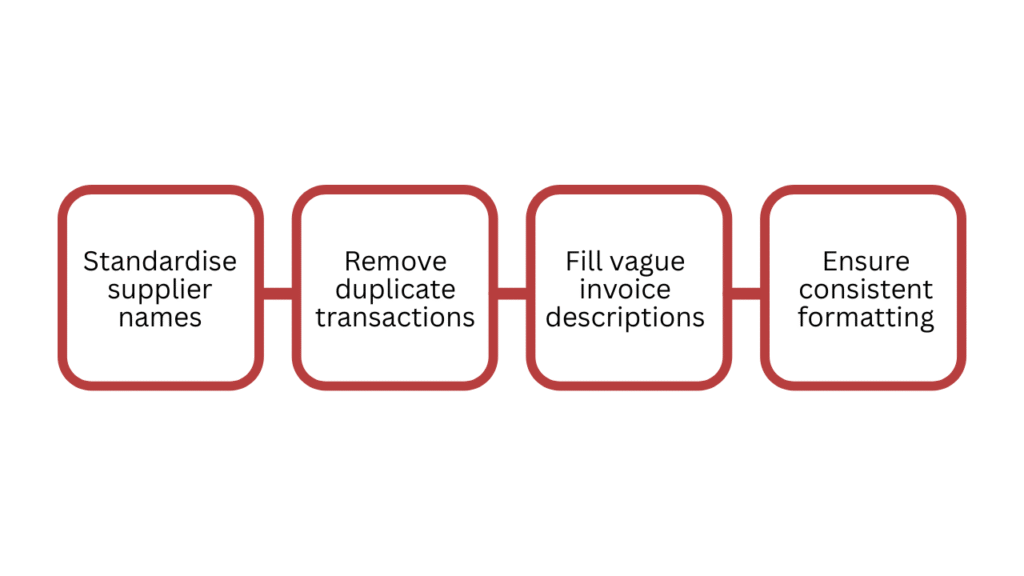
- Standardise supplier names
- Remove duplicate transactions
- Fill in blank or vague invoice descriptions where you can
- Make sure currency, dates and cost centres are consistently formatted
Choosing the right tool
I’ll simplify the tool selection for you so you can start, rather than spending weeks or even months just researching the perfect fit.
- If you’re just starting out with AI and use Xero, QuickBooks, or SAP, check what AI spend features these tools already offer. Start here to test the waters first and then move towards advanced tools if needed.
- Buy a dedicated tool if you’ve outgrown built-in AI features. Tools like Coupa, Sievo, or Precoro are built for this. They’re faster to deploy than custom builds and come with pre-trained classification models.
- Build a custom model only if you have a
- technical team and genuinely unique requirements. SMEs rarely need this option.
If you’re buying, ask the following questions to find the right fit.
- Does it integrate directly with my ERP or accounting system?
- How does it classify spend and can I override it?
- What does the onboarding look like?
Common mistakes to avoid while using AI in spend analytics
Don’t automate before you validate
Run the AI in parallel with your existing process for the first 4-6 weeks and monitor its outputs to check accuracy. It will help you and your team trust AI better. Moreover, you can catch and fix mistakes at the start, bringing your system to near perfection.
Don’t treat it as a one-time project
Spend patterns change, suppliers change, and your business changes too. AI needs to be fed new data, reviewed regularly, and adjusted as your categories evolve. Set a quarterly review cadence from day one so your AI can stay up to date and accurate.
Final thoughts
Somewhere in your last 12 months of spend data, there’s a leakage you don’t know about yet. AI will find it, but only if you start. Pick one use case from this article, run it for 30 days, and see what surfaces. And if it doesn’t feel right, undoing one use case isn’t that difficult.



![How to use AI in spend analytics? [5 use cases]](https://feriotti.com/wp-content/uploads/2026/04/1-3.png)