
Fun fact: An average lead response time is 29 hours+. On top of that, 63% of the companies never respond.
Yup, that still happens in 2026.
Another fun fact is 78% of the customers buy from the first respondent. That shouldn’t be a surprise. In times where our attention span is getting shorter, and patience level is shrinking day by day, it makes total sense. (Source)
Now there’s an opportunity for you here. If you can just be quick, you can outperform your competitors. And one way to do that is to use CRM for marketing automation because it makes everything seamless, allowing you to process at a speed that customers now expect.
A context on CRM and marketing automation
CRM is the customer relationship management tool where all your customer and lead information is stored, managed and tracked. Marketing automation means you automate the repetitive marketing processes like follow-ups, email campaigns, social media content scheduling and much more.
You can use specific tools for marketing automation, or you can build your own workflows within your CRM or through an automation tool.
Whatever the case is, when we talk about CRM for marketing automation, we mean that these two platforms or processes should be connected for better efficiency and synchronisation, or as I like to say, it connects sales and marketing, helping them act as one unit rather than totally separate entities dealing with the same customers in different contexts.
How to use CRM for marketing
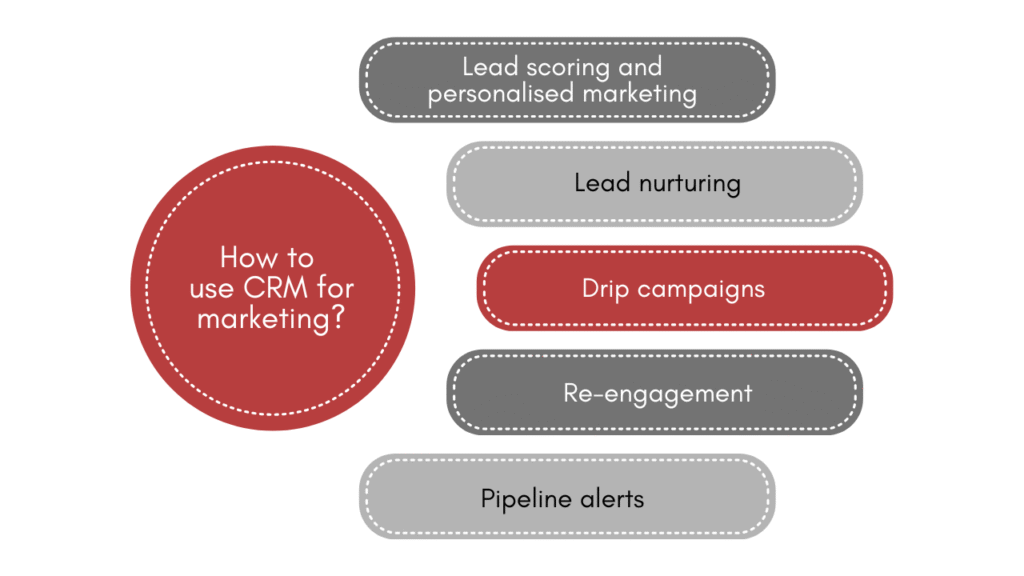
Use case 1: Lead scoring and personalised marketing
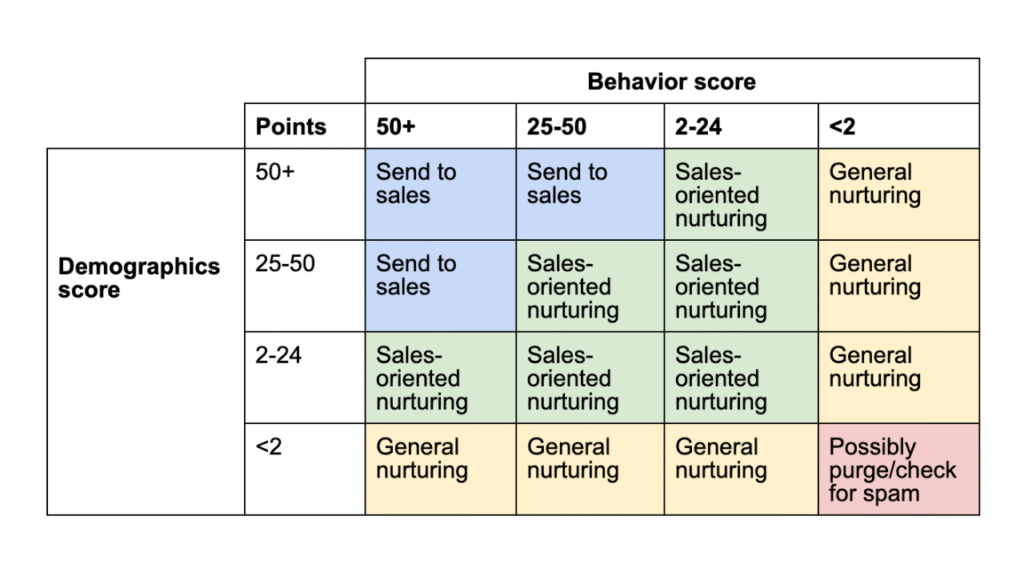
Lead scoring is a process where your CRM scores leads based on their behaviour to signal to you how cold or warm they are. For example, a visitor who reads your pricing page gets 10 points. One who downloads your brochure gets 20. Someone who does both, then watches a product demo, gets 50+ points. Your CRM automatically flags them as sales-ready and notifies your team.
It’s a powerful feature on its own as it filters the 20% of the people who will bring in the 80% of the results. But if you connect it with marketing automation, you can send super personalised emails to every lead based on their behaviour.
For example, someone who has visited your pricing page gets an email inviting them to the next step, whatever that is for your business. Someone who watched the product demo gets an opportunity to schedule a 15-minute call with a representative.
Use case 2: Lead nurturing
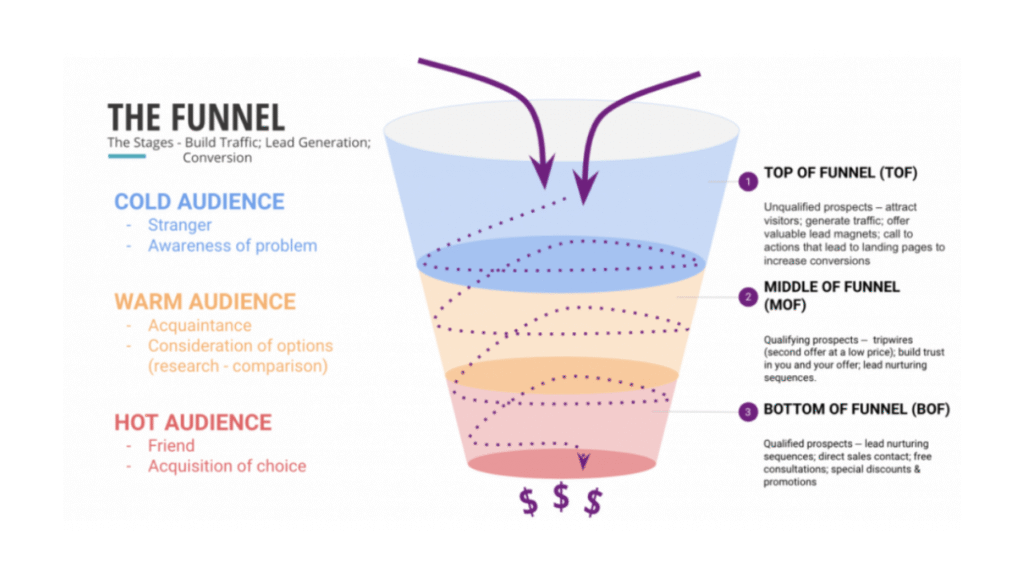
What do you do with the leads that your CRM has marked as cold? You, of course, nurture them, and through marketing automation, you can make it an automated process that runs in the backend completely on its own.
When you connect your CRM to your marketing automation, the cold tag triggers a nurturing sequence. They receive targeted emails based on their behaviour until they are warm and ready for your sales team to spend their time and energy on them.
Use case 3: Drip campaigns
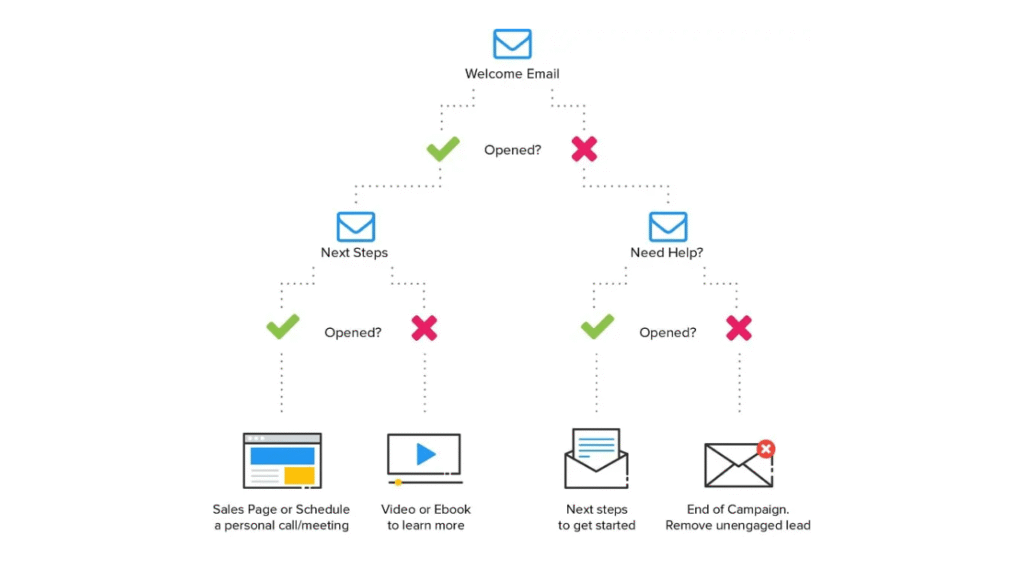
You know when you download a guide or a freebie from a website and start receiving emails from them, that’s a drip campaign. It’s a series of emails or notifications that‘s sent out at specific intervals with one goal: to nurture the lead and develop their interest in the product or service.
For example, a business coaching company offers a free 5-day productivity guide on their website. The moment someone downloads it, the CRM triggers a sequence automatically. On day 1, it sends the guide. On day 3, they receive a relevant case study. On day 5, it’s a client success story, and on day 7, they invite them to a free 20-minute call.
The CRM tracks the activity of the user, and when it’s connected to marketing automation, it triggers the drip campaigns automatically.
Use case 4: Re-engagement
A re-engagement campaign automatically identifies contacts who’ve gone quiet and sends them a targeted sequence to win back their attention.
Consider an e-commerce brand. Any customer who hasn’t placed an order in 60 days gets tagged as lapsed by the CRM. That tag fires an automation sequence that tries to re-engage the customer through discounts, offers, and reminders.
The same logic applies to leads that go cold mid-pipeline. If a prospect requested a quote three weeks ago and hasn’t responded, the CRM can automatically send a gentle check-in without your sales team having to remember.
Also read: 7 practical ways to better use AI in CRM [CTO’s guide]
Use case 5: Pipeline alerts
Your CRM monitors deal activity and automatically notifies your team when something needs attention. The setup is simpler than it sounds. You define a rule: if a deal hasn’t had any activity in X days, send the assigned salesperson a Slack message or email alert. The message includes the contact’s name, the deal value, and the last touchpoint.
One thing to resist is over-alerting. If every deal triggers a notification, people stop reading them.
Common mistakes in using CRM for marketing automation
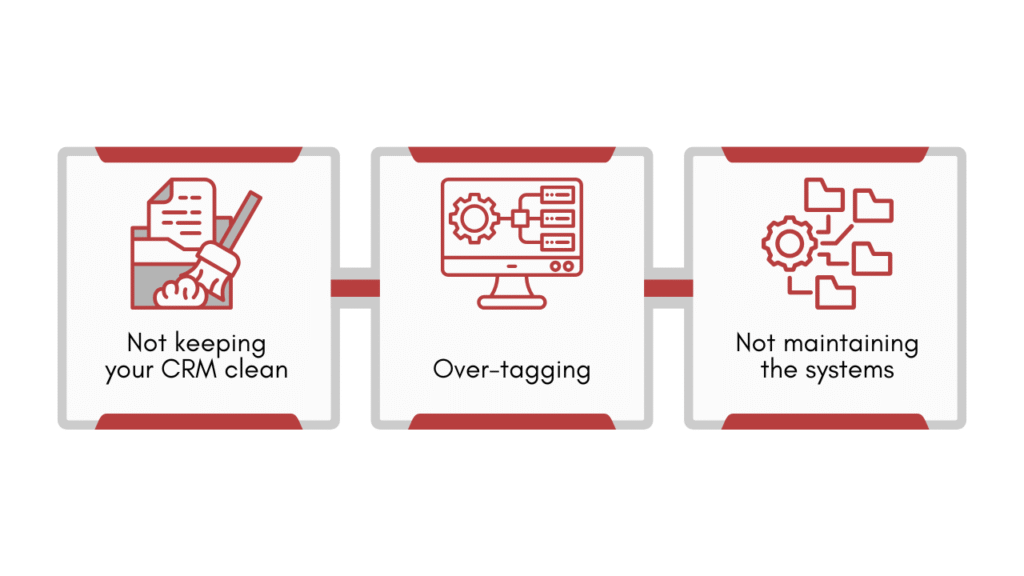
1. Not keeping your CRM clean
If your CRM is a mess, it will trigger marketing campaigns based on that messy data. And by messy, I mean unorganised, outdated, duplicate data.
To prevent that, you need to clean your crm. I went over the crm data cleansing process in detail in a separate guide. It will walk you through 4 steps to clean your CRM with bonus tips to help you maintain the structured data.
2. Over-tagging
If you have 50 different tags, your automation logic becomes a nightmare to debug. You’ll eventually have workflows fighting each other, where a lead triggers three different email sequences simultaneously because they have too many overlapping tags.
Keep your structure minimal and spend your time figuring out what actions are most important that should be tracked and tagged.
3. Not maintaining the systems
I have seen people set up workflows and forget about them. In case a small bug arises that no one notices, it keeps on running, risking the company’s reputation in front of the customers until a visible flaw arises.
For example, there could be a broken link in an automated email or a logic loop where customers are getting stuck at a certain stage of the funnel, but because no one is monitoring the technical health of the workflow, it keeps on running like that. Schedule a technical audit every quarter or two. Your automation systems need maintenance.
Closing remarks
Picture your business six months from now: the tech actually works for you. Your sales team are looking at a system where leads qualify themselves and old deals practically revive on their own.
To make it a reality. Pick one repetitive task and automate it this week. That’s your starting point.







![How to use AI in spend analytics? [5 use cases]](https://feriotti.com/wp-content/uploads/2026/04/1-3.png)